
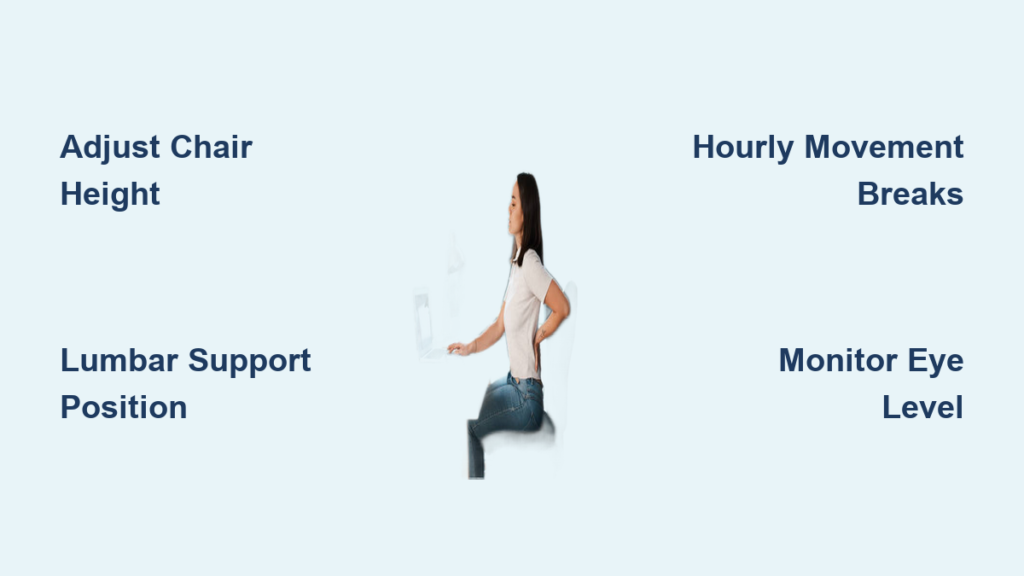
Your lower back screams by 3 PM. That familiar ache spreads across your spine after hours hunched over your laptop. Sound familiar? You’re not alone—80% of desk workers experience sitting-related back pain. The good news? Most cases respond dramatically to simple workspace changes and movement habits. This guide transforms your daily routine from pain-inducing to pain-relieving with evidence-based strategies you can implement today. Learn exactly how to relieve back pain from sitting through scientifically backed adjustments that target the root causes of spinal compression and muscle fatigue.
Fix Your Chair Setup to Stop Lower Back Strain
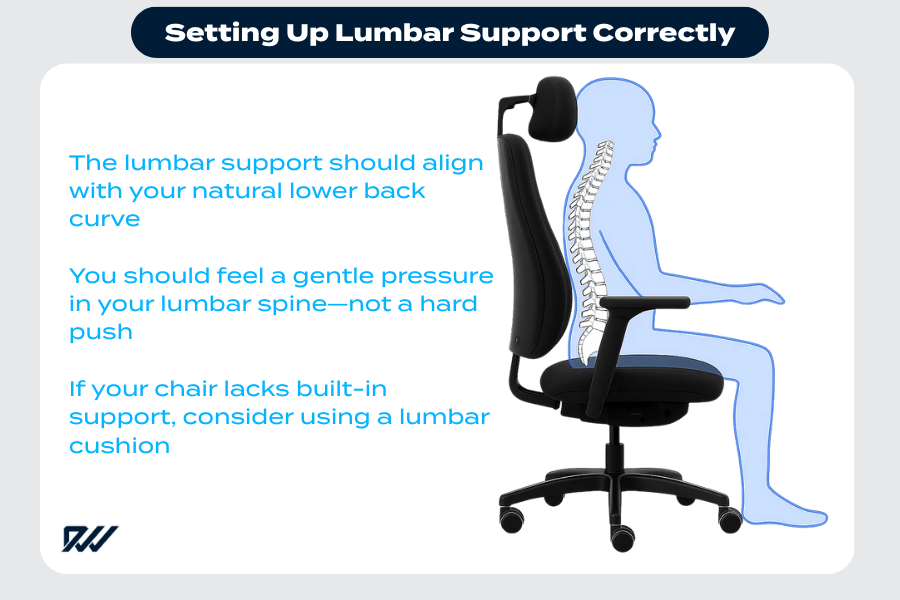
Your chair either supports your spine or sabotages it. Most back pain stems from poor chair configuration, not the chair itself. Proper alignment maintains your spine’s natural S-curve, reducing disc pressure by up to 40% compared to slouched positions.
Position Lumbar Support in Your Natural Curve
Place lumbar support precisely where your lower back arches inward—about belt-line height. If your chair lacks built-in support, roll a towel to 2-3 inch thickness or use a dedicated lumbar pillow. Critical mistake to avoid: Positioning support too high (in mid-back) or too low (on hips). Your goal is to feel gentle pressure in the curve above your waistband, not in your ribs or tailbone. Test by sitting upright: if you feel your spine “sink” into the support without leaning back, you’ve nailed the placement.
Set Seat Height for Optimal Circulation
Stand facing your chair—the seat top should hit just below your kneecap. When seated, your thighs should slope slightly downward with a 2-4 finger gap between the seat edge and your knee pit. This prevents compressed blood vessels behind the knees that cause leg numbness and force your lower back to compensate. Pro tip: Place feet flat on the floor (or footrest) with knees slightly below hip level. If your feet dangle, add a stable footrest—never tuck legs under the chair.
Configure Armrests to Prevent Shoulder Creep
Adjust armrests so your shoulders stay relaxed—not elevated or slumped. Your elbows should rest at 90 degrees with forearms parallel to the floor. To check: type for 30 seconds. If your shoulders hike toward your ears or you’re reaching forward, lower the armrests. Warning: Armrests that are too high cause upper back tension that travels down your spine, while too-low armrests force you to hunch. Remove them entirely if they don’t adjust properly.
Optimize Your Desk Arrangement for Spinal Alignment

Your desk setup directly impacts spinal alignment. Small adjustments create massive pain relief by eliminating “tech neck” and forward head posture that strains cervical discs.
Position Keyboard and Mouse at Elbow Height
Place both devices at the same height as your bent elbows. Your forearms should rest parallel to the floor without reaching forward—elbows stay close to your body in a “chicken wing” position. Key visual cue: When typing, your wrists should form a straight line from forearm to hand (no upward or downward bending). Use a thin wrist rest only during pauses, not while actively typing. Keep the mouse within a “palm’s width” of your keyboard to avoid overreaching.
Set Monitor Height to Eliminate Neck Craning
Position your monitor’s top edge at or slightly below eye level. Sit fully back in your chair—your screen should sit one arm’s length away (20-26 inches). Tilt the monitor back 10-20 degrees so the top leans toward you. Troubleshooting tip: If you tilt your head forward more than 15 degrees to see the screen, stack books under your monitor. Never position secondary monitors lower than your main screen—this causes constant neck rotation that strains facet joints.
Eliminate Glare Without Squinting
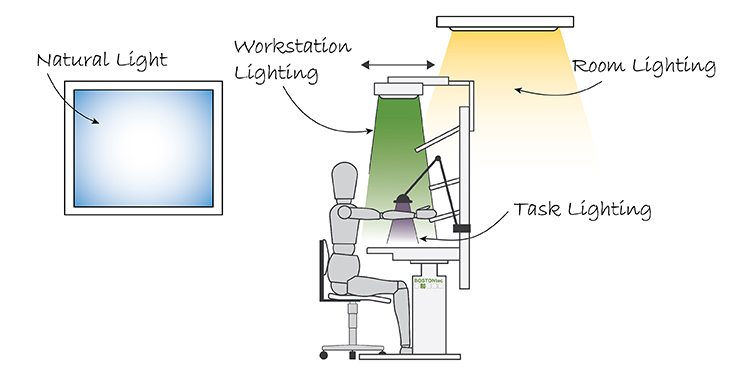
Place your screen perpendicular to windows to avoid reflection. For task lighting, use adjustable desk lamps positioned behind you shining toward your workspace—not directly on the screen. Aim for 300-500 lux in ambient lighting (like a bright living room), increasing to 500-1000 lux for detailed work (similar to a dentist’s office). Quick fix: Hold your hand between the light source and screen—if you see no shadow on the monitor, you’ve positioned it correctly.
Movement Break Protocol to Decompress Spinal Discs
Your spine craves movement. Static sitting compresses discs by up to 30%, reducing nutrient flow to spinal tissues. These protocols reverse damage within minutes.
Activate Hourly 5-Minute Breaks
Set phone alerts every 50 minutes. During breaks: stand up immediately (don’t finish emails!), walk to get water, or pace during calls. Science-backed reason: Just 2 minutes of walking reverses disc compression. If you can’t leave your desk, perform seated marches—lift knees alternately while pressing feet firmly into the floor for 60 seconds.
Master Active Sitting Techniques
Use a sit-stand desk to alternate positions every 30-60 minutes. No standing desk? Try these seated movements:
– Ankle pumps: Point and flex feet 10 times to boost circulation
– Shoulder blade squeezes: Pinch shoulder blades together, hold 5 seconds, repeat 10x
– Seated spinal twists: Hug elbows to chest, rotate gently left/right 5x each side
Time estimate: These take 90 seconds total but reset muscle fatigue instantly.
Perform Targeted Micro-Stretches
Do this sequence 3-4 times daily:
1. Hip flexor stretch: Stand in lunge position (back knee on floor or chair), tuck pelvis under, hold 30 seconds per side
2. Cat-cow stretch: On hands and knees, alternate arching and rounding your back 8x
3. Chin tucks: Gently pull chin straight back like making a “double chin,” hold 5 seconds, repeat 10x
Create a Spine-Supportive Workspace Environment
Environmental factors silently worsen back pain through muscle tension and fatigue.
Control Temperature to Prevent Muscle Guarding
Maintain 68-72°F (20-22°C). Cold rooms trigger shivering that tightens paraspinal muscles, while excessive heat causes fatigue that leads to slouching. Action step: Keep a light sweater and small desk fan at your workstation for instant microclimate adjustments.
Optimize Air Quality for Muscle Oxygenation
Stale air reduces oxygen delivery to muscles, increasing lactic acid buildup. Maintain 40-60% humidity to prevent dry eyes that cause squinting and neck strain. Quick solution: Open windows for 5 minutes hourly or use a desktop air purifier—your back muscles need fresh oxygen as much as your brain.
Implement Layered Lighting Strategy
Combine ambient lighting (300-500 lux) with task lighting (500-1000 lux) focused on your keyboard—not your screen. Position lights behind you to eliminate screen glare without squinting. Pro hack: Use a daylight-simulating bulb (5000K color temperature) to reduce eye strain that contributes to forward head posture.
Warning Signs That Need Medical Attention
Most sitting-related pain resolves with ergonomic fixes, but these symptoms require immediate professional care:
- Sharp pain shooting below the knee (possible sciatica from herniated disc)
- Numbness/tingling in feet (nerve compression warning)
- Pain worsening when lying down (indicates inflammatory condition)
- Loss of bladder control (cauda equina syndrome—seek ER immediately)
If pain persists beyond 2 weeks despite perfecting your workspace, consult a physical therapist for personalized movement therapy or an ergonomic specialist for advanced workstation analysis.
Your 72-Hour Back Pain Relief Action Plan
Start tonight—don’t wait for “Monday”:
Tonight: Adjust chair height and lumbar support. Prop monitor on books until top edge is at eye level. Set phone timer for hourly stand-up breaks.
Tomorrow: Position keyboard/mouse at elbow height. Add ankle pumps and shoulder squeezes to your hourly breaks. Test lighting setup to eliminate screen glare.
Day 3: Implement hip flexor stretches twice daily. Fine-tune temperature and air quality. Track pain levels at 3 PM—most report 30% improvement within 72 hours.
Final Note: Consistent implementation of these evidence-based strategies typically reduces sitting-related back pain by 50-70% within one week. Your spine thrives on movement—not static positions—so prioritize micro-movements over perfect posture. When you learn how to relieve back pain from sitting through these targeted adjustments, you’ll transform your workspace from a pain trigger to a wellness zone. Start with chair height tonight, add one new habit daily, and reclaim your pain-free productivity.